Issue detail
| Issue ID | 56484521 |
| Issue title | Ice Cream Recipes > Ultimate Vegan Chocolate Chip Cookies - "Find it near me" reloads the page and does nothing else |
| Issue category |
MALFUNCTION |
| Severity |
MEDIUM |
| Frequency | ALWAYS |
| Testing device | Windows 10, Chrome |
| Created | Thursday, September 9, 2021 at 10:51 PM |
| Submitted | Thursday, September 9, 2021 at 11:04 PM |
Data submitted
Is this a Bug or Usability Problem? Usability issues shouldn't be submitted as bugs
Is this a duplicate Bug? We can't accept the same Bug twice!
To check the list of Bugs that were already submitted:
1. From the side menu, select tests
2. From my tests, select the test that you are current working on
3. Click on "Reported Bugs" tab
4. Use the filters to check that the Bug hasn't already been submitted
Quick Help Links: How do I fill out this Bug form? What does a good Bug report look like? (Example)
- I checked this is a bug not a usability issue
- I checked this is not a duplicate bug
Is my title in correct format?
The first part of your bug title should have information about the location of the bug (i.e.: Navigation, side menu, etc.)
The second part of the tile should include the symptom (i.e. page not displayed, image link broken)
Example title
Side menu>tests: page not displayed with 404 error
- I checked the title format
Is your bug category correct?
Below is the category that we use.
Crash - page/website/browser crashes etc.
Malfunction - broken hyperlink, a button leads to the wrong action (e.g. redirects to incorrect page), a video plays but there’s no sound etc.
Content issue - image or text is missing altogether, video is no longer available etc.
Display Error - text is mis-aligned, image overlaps with text, page is loading very slow etc.
Spelling/Grammar - incorrect spelling of a word, grammatically incorrect sentence
Other - none of the above
Is your severity set correctly?
Below is a benchmark for the severity depending on the category of the bug
Crash - Critical
Malfunction - High or medium
Content issue - Low
Display Error -Low
Spelling/Grammar - Low
Other - Low, medium, high
Please note that even if you set the category and severity of the bug, they may be adjusted depending on the client standard.
- I checked the category and title
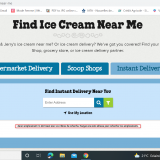
1. Access to the following URL through navigation https://www.benjerry.co.uk/ice-cream-near-me (Where to buy > Delivery supermarket)
2. On "find Ice cream near me" Click on the 3rd tab "Instant delivery"
The page should be displayed and written in english
The page error message is written in french
How-To: Correctly Upload Screenshots Ensure your whole "live" screen is visible, including the navigation bar at the top of your browser.Do not include secondary screens in your screenshots.If you use an editing tool, like paint, please do not leave large blank spaces in your screenshots.For more information, please check our FAQs: How do I make screenshots?
Screencasts record all screen activities in a video. Always use a screencast when it is important to see a bug in action. **Hint: Some examples where screencasts are necessary include malfunctions, broken links, unresponsive pages, app/browser crashes, being redirected to error page, loading/video/audio issues or any other problem that cannot be shown with screenshots alone.How-to Upload a Screencast:
You can use the free software Screencast-o-matic to create a screencast, or any screen video capturing software of your choice. Our Nest supports the following video formats: flv, mov, ogv, f4v, mp4, avi or wmv. The format .swf however is not compatible with our platform.For more information, please check our FAQs: How do I make a screencast?